


Accessories Bundle
Accessories Bundle

Ultimate Protection Bundle

Clear External Protective Shell

Grip Compatible - Hard Shell Case
 Same Day Dispatch · No Preorders
Couldn't load pickup availability

This thing is pure quality. It's essentially a full PC stuffed into a portable console. The performance is unreal. I bring it everywhere with me and it never lets me down.

Accessories Bundle
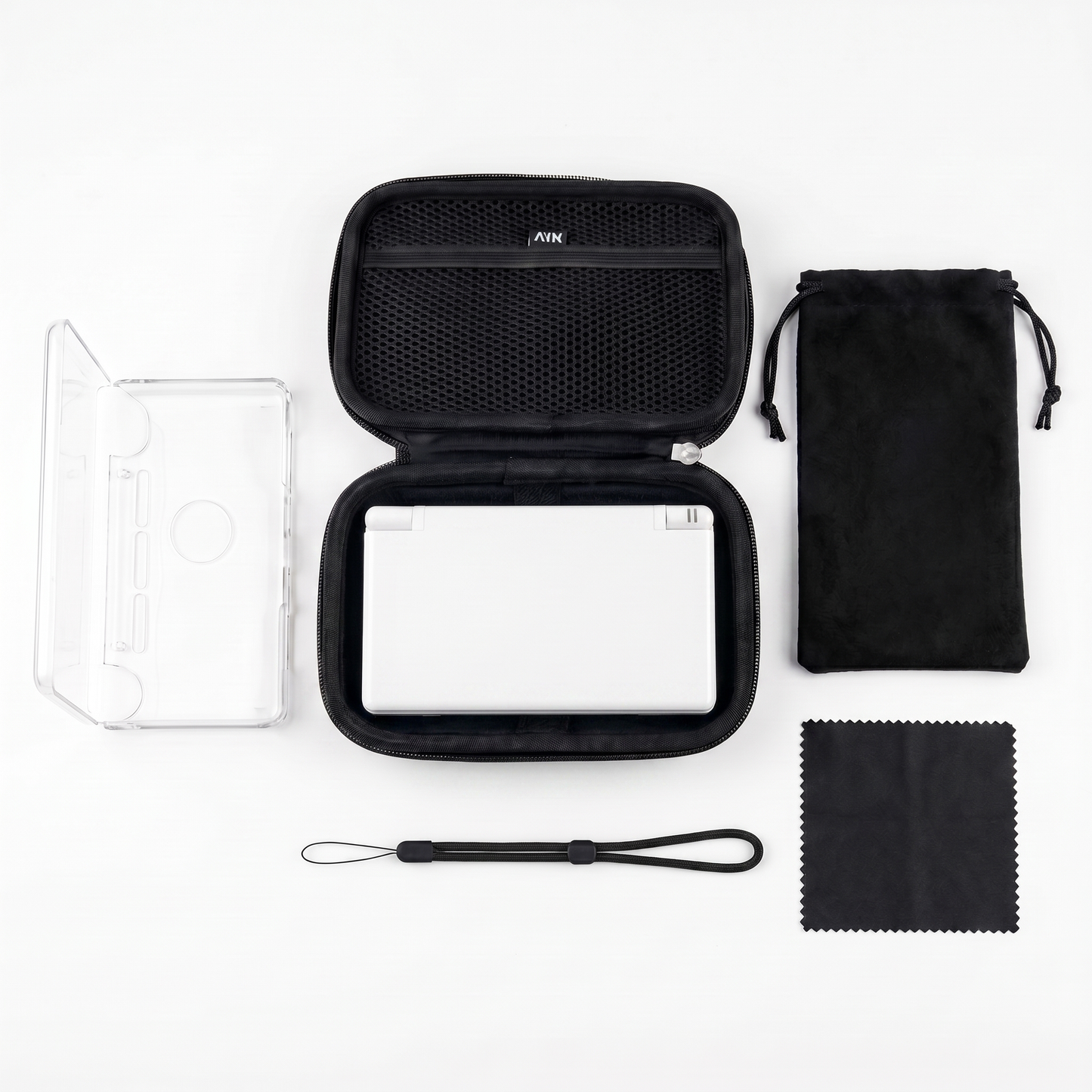
Accessories
-
 SAVE 34%
Ultimate Protection Bundle
Regular price $99.00Regular price $99.00 Sale priceUnit price per$150.0034% -
 SAVE 35%
Accessories Bundle
Regular price $97.00Regular price $97.00 Sale priceUnit price per$150.0035% -
 SAVE 30%
Ergonomic Hand Grip
Regular price $35.00Regular price $35.00 Sale priceUnit price per$50.0030% -
 SAVE 25%
Grip Compatible - Hard Shell Case
Regular price $45.00Regular price $45.00 Sale priceUnit price per$60.0025%


120hz FHD OLED Display
Premium Detail For Every Game
Lanyard Loop
Attach Straps, Charms, or Keychains
Hall Effect Joysticks
With Customisable LEDs
In Stock
Play ANYTHING. ANYWHERE.
Play everything from Nintendo DS and 3DS to PS3, GameCube, Wii, Switch, Xbox, PC games and classic arcade titles — all from one handheld.


The Portable
Power
House
Dual OLED Displays. Built To Be Seen.
Deep blacks. Rich colours. Incredible contrast. The DUAL features two premium OLED displays. From classic DS titles, to modern PC games. Every scene looks sharper, brighter, and more immersive than you've ever seen it.


Our Promise To You
Our Money-Back Guarantee
100% Satisfaction | Easy Returns
Every Dual Pro is fully tested and guaranteed to work on arrival. If your device has any functional issue affecting gameplay or performance, you're covered with a repair, replacement, or full refund. No hassle. Buy with complete confidence.


Top Gamer questions Asked...
FAQ's
What consoles and games can the DUAL Handheld play?
What consoles and games can the DUAL Handheld play?
The DUAL Handheld runs Android and covers an enormous range of systems — Game Boy, SNES, N64, PlayStation 1 & 2, GameCube, and more. Where it truly stands out is Nintendo DS and 3DS emulation: the physical dual-screen layout means these games display exactly as they were designed, with maps, menus, and touch controls on the second screen just like the original hardware. Beyond retro gaming, it plays native Android titles from the Google Play Store, supports game streaming via PlayStation Remote Play, Xbox Cloud Gaming, and other services, and even runs PC game launchers through Android emulation apps. One device, basically everything.
What are the screens like?
What are the screens like?
Both screens are AMOLED panels — the same display technology used in premium smartphones — delivering deep blacks, vivid colour, and stunning contrast. The main screen is a 6-inch 1080p display with a 120Hz refresh rate; the second screen is a 3.92-inch touch display at 60Hz. Both support touch input. Reviewers have specifically called out how sharp DS and 3DS games look on this device — cleaner than anything else currently available. Whether you're gaming, streaming, or browsing, everything looks genuinely impressive on these displays.
How long does the battery last?
How long does the battery last?
The DUAL Handheld packs a 6,000mAh battery and is built to handle long sessions. For typical retro gaming and DS/3DS emulation you can expect several hours of continuous play. The built-in quick settings menu lets you switch between performance modes on the fly and toggle the main screen between 60Hz and 120Hz — small adjustments that meaningfully extend your playtime when you need it. It's the kind of device reviewers found themselves playing for 6+ hours in a single sitting without thinking about charging.
Is it hard to set up?
Is it hard to set up?
Not even close. We've put serious work into making setup as smooth as possible.
We've created a free, comprehensive setup guide built specifically for our customers, walking you through every step from first boot to having your games fully organised with cover art and collections. No second-guessing, no dead ends, no trawling through Reddit threads hoping someone answered the same question.
The device itself is Android-based, so the experience is already familiar — and our guide takes you through installing your emulators, setting up your frontend, and dialling in your performance settings in a way that just makes sense. Most people are up and playing within an hour.
And if anything ever trips you up? Our 24/7 support team is always on hand.
Approved By Gamers..
-

Dominic S.
"Performance is ridiculous for the size. I’ve been emulating Wii U, PSP and even some PC games without any issues. Easily the best handheld I’ve bought in years.”
-

Jasmine T.
“okay but minecraft on the Dual Pro is actually addictive 😭 the OLED screen makes everything look SOO vibrant and smooth, especially at night! The white design is gorgeous in person too btw:)"
-

Micheal Z.
“tbh this handheld actually feels like its worth the price. Quality & design is great, no laggy UI, just a smooth & satisfying performance .. The hall effect sticks are a w bonus too.”


- Choosing a selection results in a full page refresh.
- Opens in a new window.